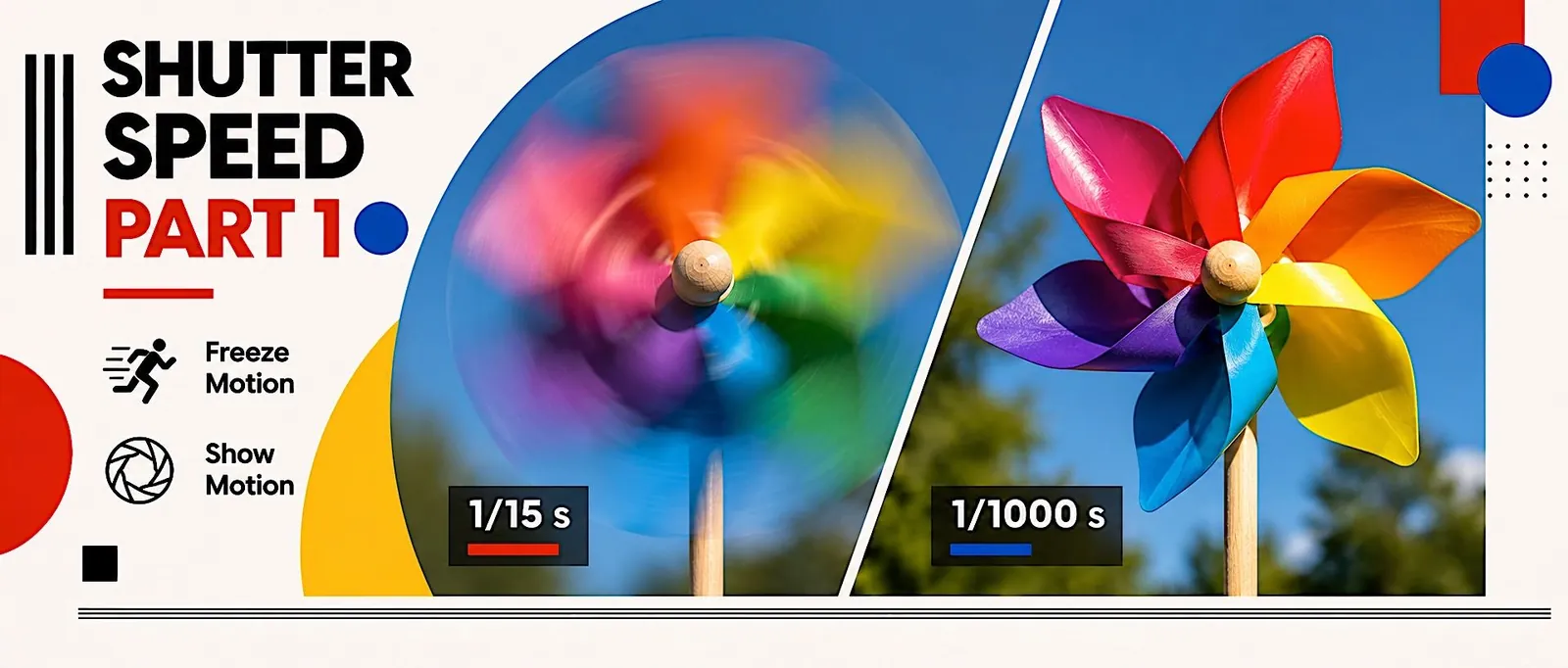
Six photos of a spinning pinwheel at six shutter speeds, from blurry to frozen.
Assignment 03 | Motion
Exploring Shutter Speed with a Pinwheel
Six shutter speeds, one subject. Watch blur turn into a frozen frame.
START HEREOpen your one-sheetPrint it or keep it open while you work.Open ↗6
shutter speeds
M
mode, tripod
1
slide, PDF or JPG
When: Demo in class in Week 9, Tuesday. Shoot on campus in class in Week 10, Monday. Build the slide and hand in during Week 10, Tuesday. Due 9:00 pm that night.
The goal
All six frames are equally bright. Only the motion changes.
Examples

Step by step
Follow these in order.
01
Set up the station
Camera on the tripod, mode dial to M.
• Pinwheel in front of the fan, fully in the frame.
Watch out: Frames getting darker. You forgot to raise the ISO.
02
Lock the focus
Focus on the pinwheel, then switch to MF.
• Do not touch the framing again.
Watch out: The camera moved. Start over. Same framing for all six.
03
Shoot all six
1/8 at ISO 100, up to 1/250 at ISO 3200.
• Double the speed, double the ISO.
Watch out: Auto focus hunting. Lock focus, switch to MF.
04
Build the slide
Blurriest to sharpest, two rows.
• Label each photo with its shutter speed.
Watch out: Wrong order on the slide. Blurriest first.
Get it right
Tripod
it never moves
2 s timer
no shake from your finger
Double the ISO
every step
Whole pinwheel
in every frame
Same fan speed
all six
How to turn it in
Upload one slide (PDF or JPG) with all six photos in order to Assignment 03.
Check before you submit